
Reminder Message Timing
Reminder messages are the default and most commonly used messages within Apptoto. These are the messages that go out before appointments in relation to the start time of the appointment.
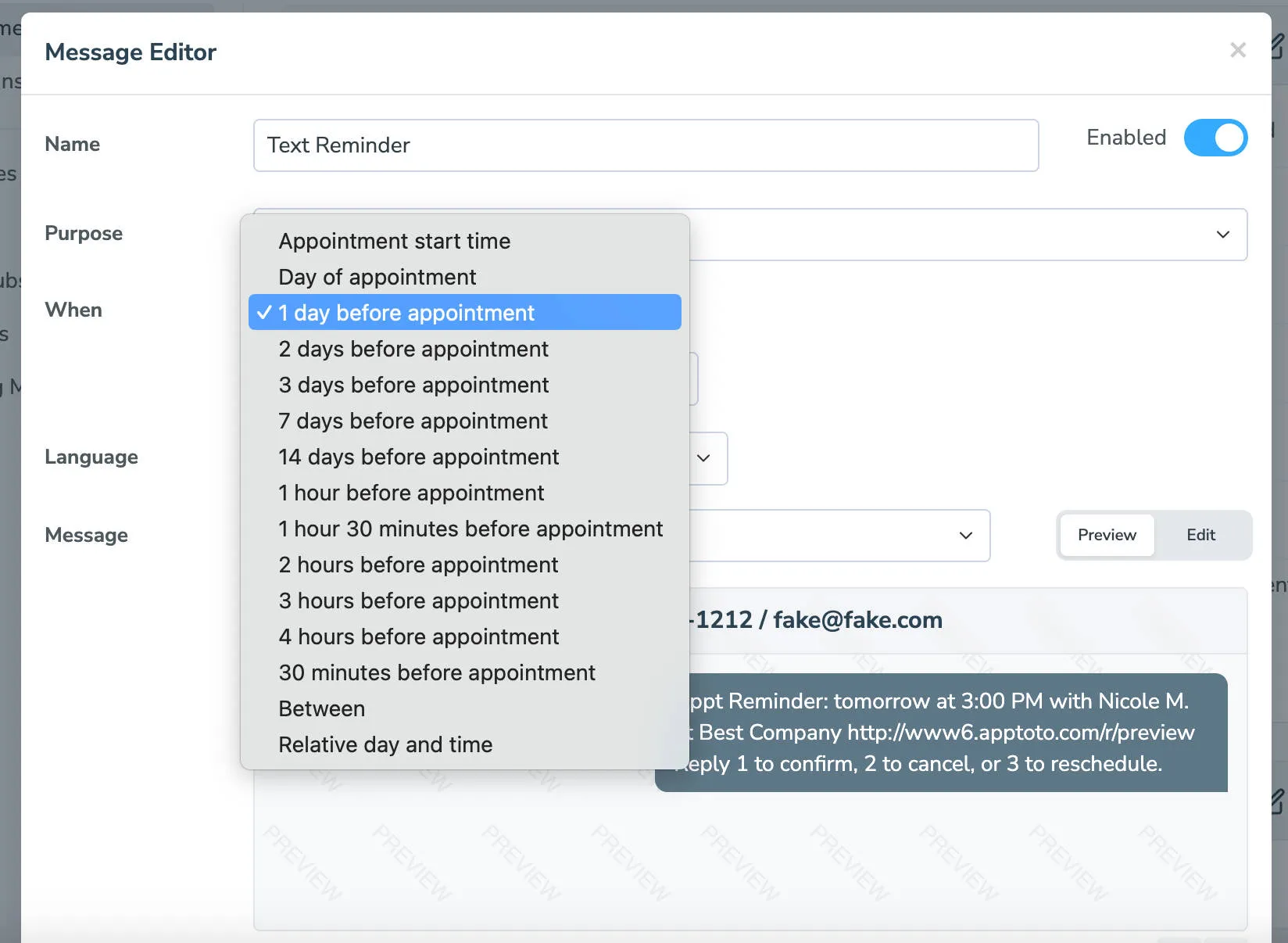
Common Reminder message configurations:
Section titled “Common Reminder message configurations:”- 1 day before: standard reminder
- 1 week before + 1 day before: two-touch sequence for longer-lead appointments
- 2 hours before: same-day confirmation
Reminders support the full range of confirm/cancel/reschedule options.
Common Reminder message timing:
Section titled “Common Reminder message timing:”Appointment start time
Section titled “Appointment start time”Select this option if you want the message to go out right when the appointment starts.
Day of Appointment
Section titled “Day of Appointment”Select “Day of” as the timing if you want the message to go out the day of the appointment at a specific time. Please note, if the time is after the time of the appointment then the message will not go out.
1 day before
Section titled “1 day before”This is the default selection for reminder messages. It results in messages going out the day before, within the default “time of day” schedule. See the next section for more information.
X days before
Section titled “X days before”These options will attempt to send the reminder a specified number of days in advance. Apptoto will abide by the default “time of day” schedule you specify.
“Default Schedule” refers to the schedule you’ve specified in the Settings > Contact Info tab. If you want to customize the schedule for this message, select Custom Schedule.
If the day that the reminder is supposed to be sent on is disabled, Apptoto will roll the message backward in time to the previously available time slot. Alternatively, you can enable the Count only enabled days (business days) setting to count back only using the days you have allowed Apptoto to send messages on.
30 minutes before, 1 hour before, 2 hours before
Section titled “30 minutes before, 1 hour before, 2 hours before”These options will attempt to send the reminder on the day of the appointment.
Apptoto will abide by the default “Time of day” schedule you specify for these options. Reminders that would be sent before the allowed time the day of the appointment, will be sent the previous day. If you prefer that they are sent the day of (if possible) then uncheck the “Send day before if needed” checkbox.
Between X and Y
Section titled “Between X and Y”These options allow you to specify a range for when the reminder can be sent. Apptoto will attempt to send the reminder at the first time listed (i.e. the X) and roll the message forward up to the second time listed (i.e. the Y) if the first time is unavailable due to the “Time of day” schedule.
The value -1 means “the start time of the appointment”. The value 0 means the beginning of the Day (if days are selected for the units).
For example, if you want messages to be sent exactly 1 day before (and not be sent the day of)… then set it to “Between 1 and 0 days” because that would mean “Send the message between the beginning of the day before and the beginning of the day of the appointment”.
As another example, if you want a message sent 4 days before, but no sooner than 2 days before, you can select “4 days before” and “2 days before” as the X and Y. In this scenario, if you have an appointment on Friday, the message would be sent on Monday. However, if Monday were disabled in your “Time of day” schedule, the message would be sent on Tuesday. If Tuesday were also disabled, then the message wouldn’t be sent.
Relative day and time
Section titled “Relative day and time”This option lets you specify the number of days before the date of the appointment and the time of day when the message should be sent.
The most common use of this option is “0 days before event @ 9:00 am.” The “0” days-before portion refers to the day of the appointment, so the reminder is sent the morning of the appointment at 9:00 am.
Please note that this setting does NOT abide by the message “Time of Day” schedule like the other settings do.