
Booking Message Timing
Booking messages are sent after an appointment is created (based on the time it was created).
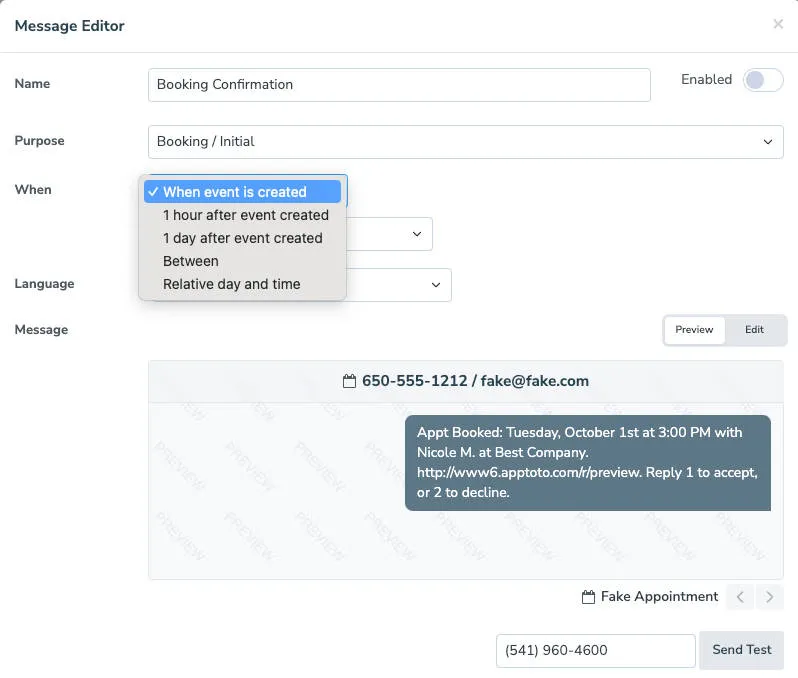
Common booking message timing:
Section titled “Common booking message timing:”- Immediately when the appointment is added
- N minutes/hours/days after the appointment is created
When Event Is Created
Section titled “When Event Is Created”This will send the message as soon as an appointment is created. By default, it will send it whenever you create the appointment, regardless of the time of day. You can change this setting from “Any” to follow your “default schedule” or specify a unique “custom schedule” for this booking confirmation.
1 hour after booking
Section titled “1 hour after booking”This option will attempt to send the message an hour after an appointment is created. The “1 Hour” option will use “any” time of day by default but can also use your default schedule or a custom schedule.
1 day after booking
Section titled “1 day after booking”This option will attempt to send the message one day after an appointment is created. The “1 Day” option will use the default schedule, but can be set to a custom schedule instead.
Between
Section titled “Between”This option allows you to specify a range for when the message can be sent. Apptoto will attempt to send the reminder at the first time listed and roll the message forward up to the second time listed if the first time is unavailable due to the “Time of day” schedule.
For example, if you want the message to send 2 hours after, but no later than 4 hours after the appointment is created, you can select “2 hours after” and “4 hours after” as the ‘X’ and ‘Y’. The option to specify a custom schedule exists for this option as well.
Relative day and time
Section titled “Relative day and time”This option lets you specify the number of days after the creation of the appointment and the exact time of day when the message should be sent (e.g. 1 day after at 1:00 pm)
Please note that this setting does NOT abide by the message time of day schedule like the other settings.
Apply to appointments created after
Section titled “Apply to appointments created after”This setting lets you tell Apptoto to only send Booking messages to new appointments created after the date you specify. This is helpful if you already have appointments on your calendar and do not want Apptoto to send booking messages to existing appointments.
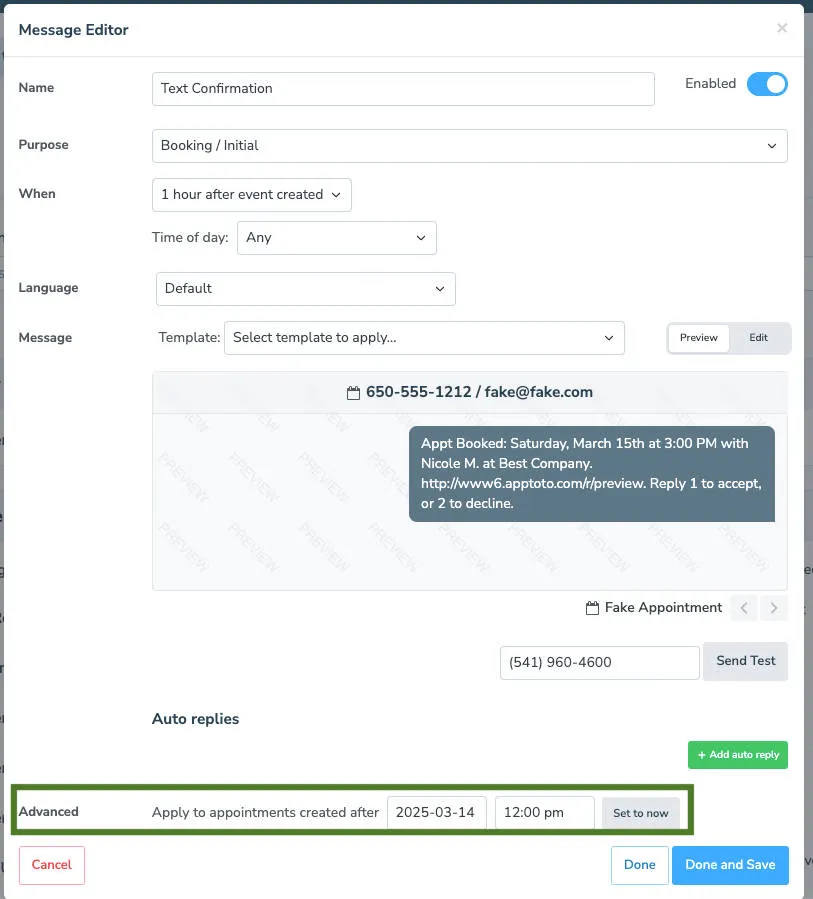
So, for example, let’s say it’s April 29, 2026, and you already have 20 future appointments on the calendar. If you create a new booking message and do not want that new message to be sent to those existing 20 appointments, then you should set this setting to April 29, 2026. Only appointments created after April 29, 2026 will receive a booking confirmation.