
Signup Page Customization
Customize signup page general settings, appearance, and the email/text messages clients receive after signing up.
Signup Pages allow you to show your clients a list of group appointments/events they can select from and attend. This can be a single event (such as a one-time seminar) or a recurring series of events.
These pages can be generated and customized before you’ve scheduled any upcoming events, or you can create a Signup page automatically when you create a new calendar event in Apptoto.
Customizing your Signup Page
Section titled “Customizing your Signup Page”Signup Pages share many of the same customization tabs as Availability Pages. Please see our shared help articles on Address Books, Form Fields, Confirmation Pages, Templates, Previewing Pages, and Embedding to customize these options.
All other customization options are included below!
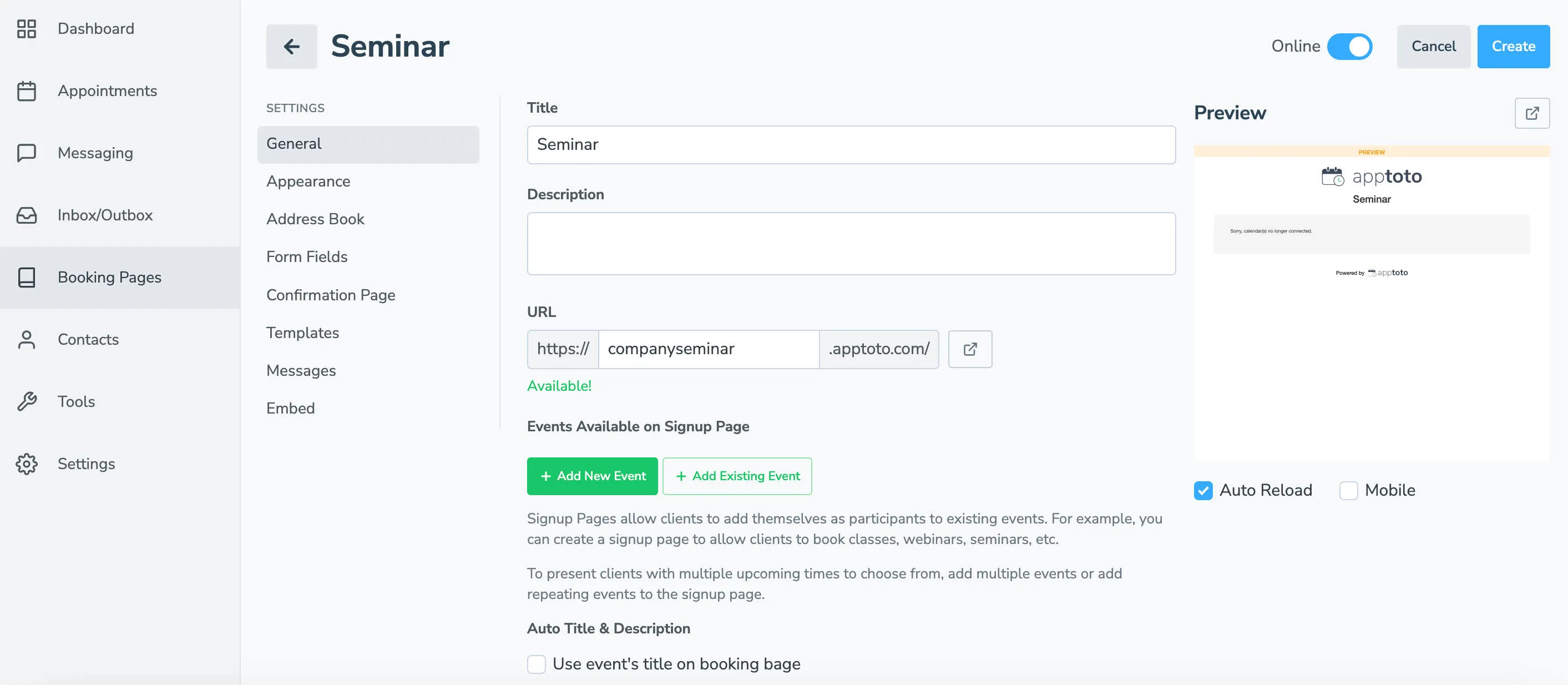
| Tab | What you configure |
|---|---|
| General | Title, description, URL, events available on Signup page, max participants, time range limit for available events, payments |
| Appearance | Logo, layout, colors, custom CSS |
| Address Book | Which address book receives new contacts from this page |
| Form Fields | What information clients must provide |
| Confirmation Page | Where clients go after booking |
| Rescheduling | Allow client to reschedule, reschedule fee |
| Client’s Appointment | How the calendar event appears for the client |
| Messages | Notifications sent when someone signs up to your team members and clients |
| Embed | Code to embed the page on your website |