
Troubleshoot Availability Issues
Ensuring your booking page reflects accurate appointment availability is essential for delivering a smooth scheduling experience to your clients.
Apptoto’s Troubleshoot Availability tool simplifies this process by offering real-time insights into your booking page’s availability settings. With this information, you can quickly pinpoint why a particular appointment slot may be unavailable (or not displaying as expected). This lets you quickly resolve conflicting bookability settings or availability overrides that accidentally block your schedule.
Enabling the Troubleshoot Availability tool
Section titled “Enabling the Troubleshoot Availability tool”You’ll need to temporarily enable the Troubleshoot Availability tool to identify why a particular appointment slot isn’t displaying the expected availability. You can do so in one of two ways:
In the Apptoto Platform
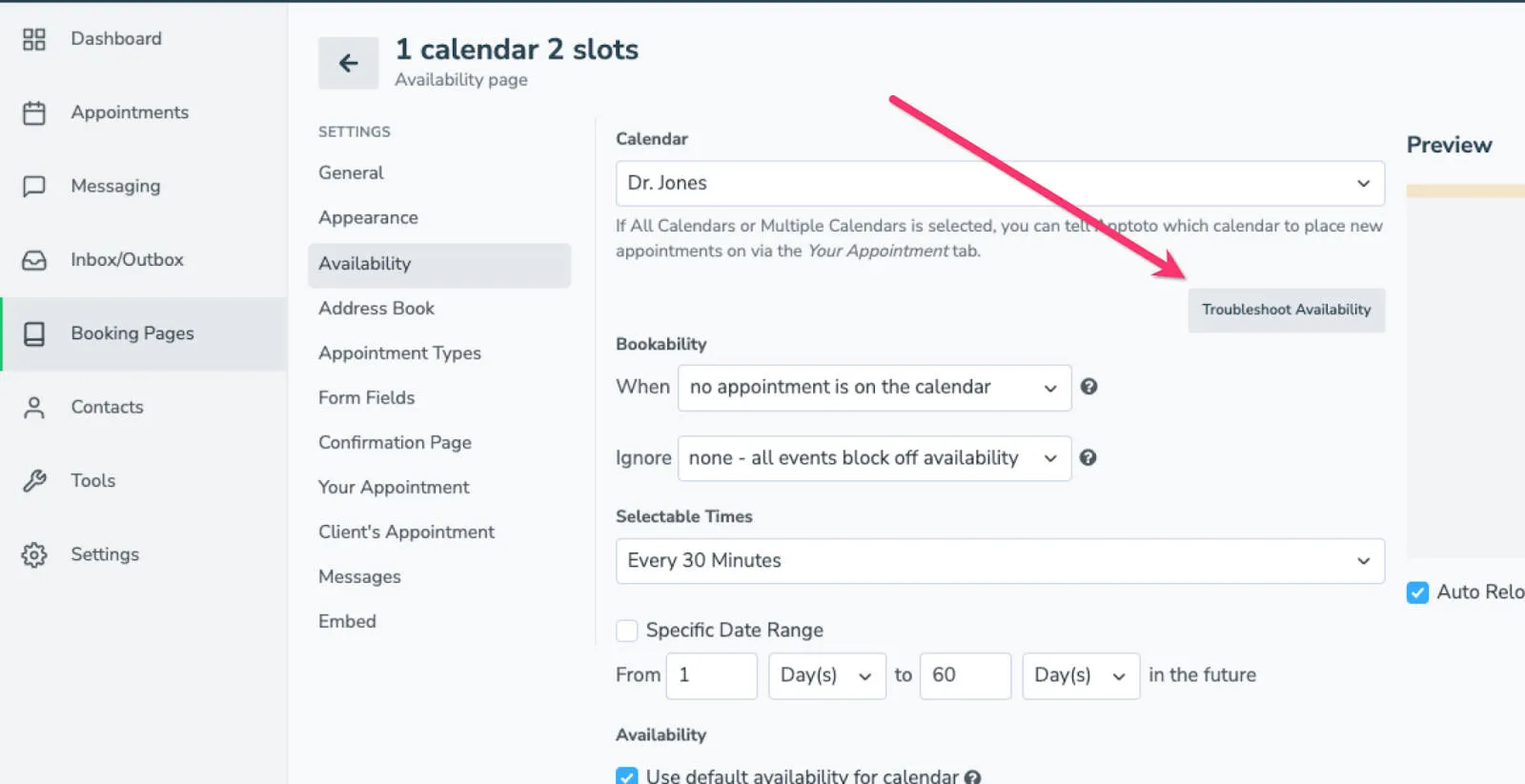
Section titled “In the Apptoto Platform”- Navigate to the Booking Pages tab.
- Click the booking page you want to troubleshoot, then select the Availability tab.
- Click the Troubleshoot Availability button (directly underneath the Calendar settings) to enable it.
On the Booking Page
Section titled “On the Booking Page”- Make sure you are logged into the Apptoto platform. Then, open the booking page you wish to troubleshoot
- Near the bottom of the page, there will be a Troubleshoot Availability button. Click this to enable it.
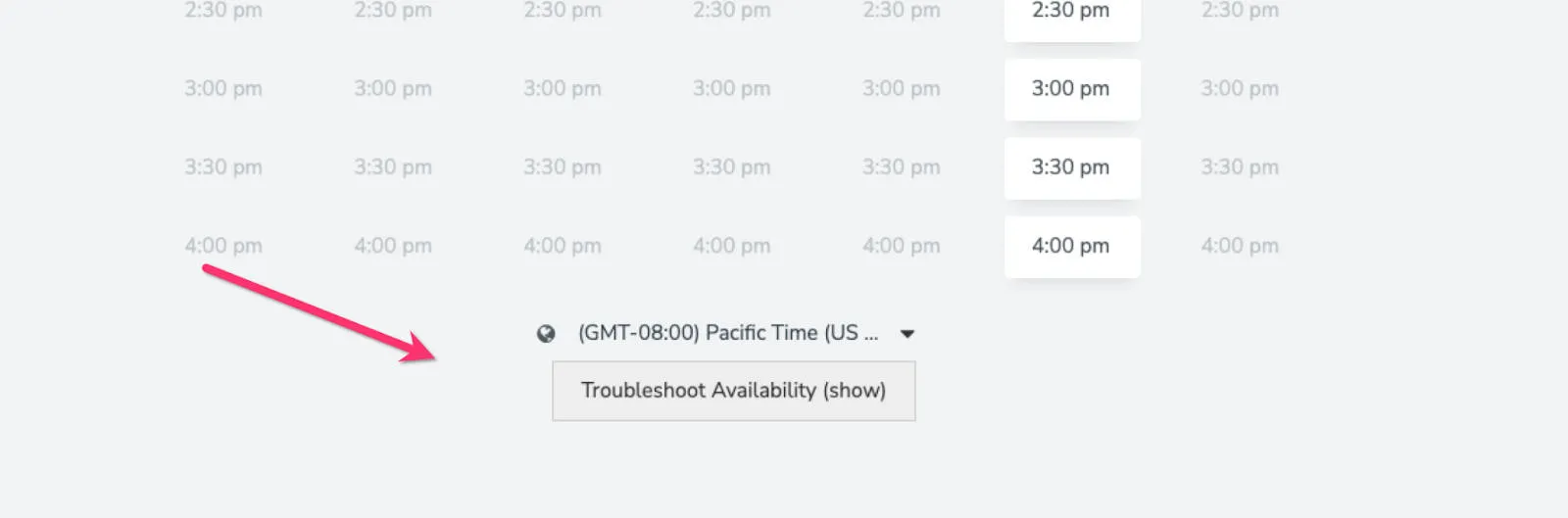
*The Troubleshoot Availability tool works for all Apptoto booking page layouts (including legacy styles).
Using the Troubleshoot Availability Tool
Section titled “Using the Troubleshoot Availability Tool”Once you’ve enabled the Troubleshoot Availability tool, you can view the number of available appointment slots that can be booked at a given time.
The number of available appointment spots for each time slot is displayed in a green bubble when at least one spot is open. A time slot will display a red bubble with a zero if no slots are available.
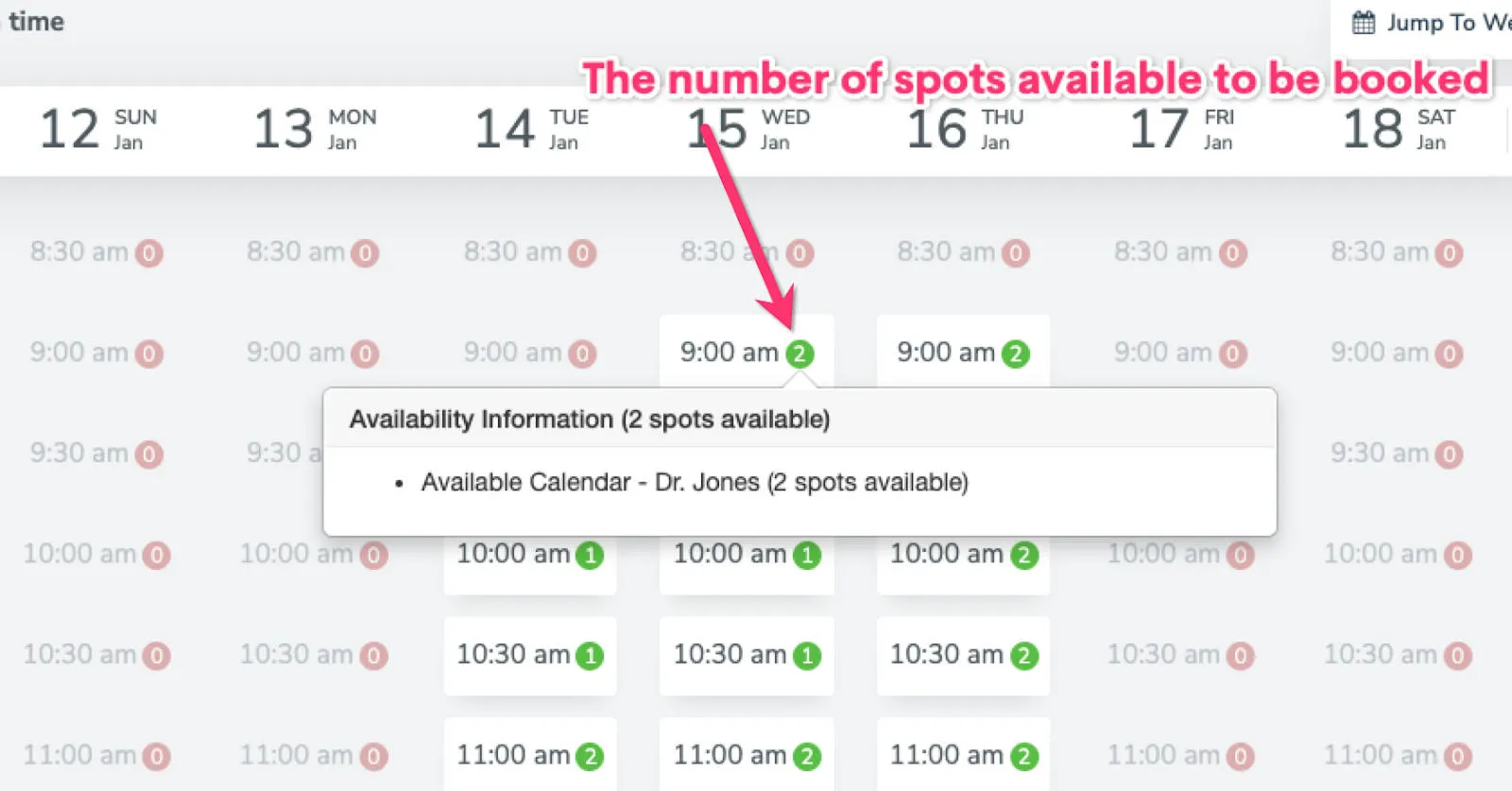
Hovering over any appointment time (whether available or not) will display information regarding its availability.
Diagnosing & fixing appointment availability issues
Section titled “Diagnosing & fixing appointment availability issues”For a comprehensive list of common reasons and settings that can affect your booking page availability, refer to this detailed Common Appointment Availability Issues help article.