
Tracking Email Opens
Having the ability to track when your clients open up emails sent from Apptoto can be helpful for multiple reasons. You get a better understanding of which emails you send are being opened, which are ignored, and who is most likely to open emails. You also have more insight into what is occurring if/when a client reports that they did not receive an appointment reminder email.
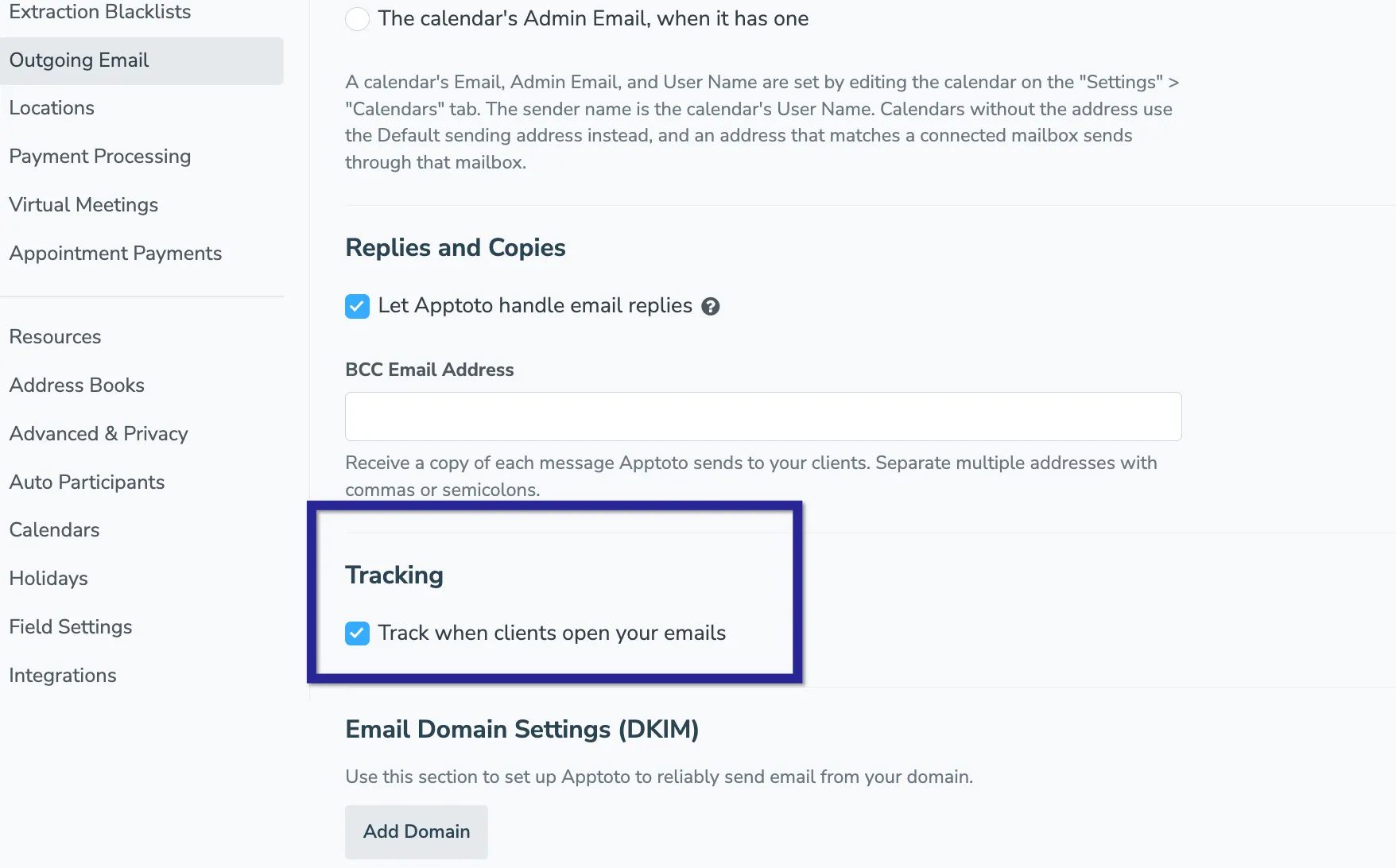
To track email opens in Apptoto, make the following change to your Email settings.
What is being tracked?
Section titled “What is being tracked?”Once you enable this tool, Apptoto will begin measuring data about your email engagement, including if your emails were opened, how many times, and by whom. This feature is not enabled by default currently, so if you want to utilize it, please follow the directions below.
Enabling Email Open Tracking
Section titled “Enabling Email Open Tracking”- Navigate to Settings > Outgoing Email.
- Find the Tracking section.
- Click the checkbox next to Track when clients open your emails.
- Click the Save button.
Viewing Email Open Statistics
Section titled “Viewing Email Open Statistics”Once you’ve enabled Open Tracking, Apptoto will begin recording data for every email you send. That reporting can be found under the Tools > Log tab. The log shows:
- What time an email was sent
- What calendar an email was linked to
- What email it was sent to
- How many times it was opened
Email Open Statistics FAQ
Section titled “Email Open Statistics FAQ”Is reporting always 100% accurate?
Section titled “Is reporting always 100% accurate?”Email open data is incredibly useful information to have, but it will not always be 100% accurate. As companies push to enact more privacy protections and safety features for consumers, one of the first things to be blocked is certain tracking data collection. For example, some of your clients may use a personal email solution/app (aka an email client) that automatically blocks tracking pixels used to determine if an email was opened.
Similarly, Apptoto uses a tracking pixel (or tiny transparent 1×1 square image) to track email opens. If you send a plain-text email, the tracking pixel will not fire since no images are allowed. Likewise, if your recipient has their email set to block all images, you may see lower open rates than you may expect.