
Contact Preferences (Opting in and out)
Set per-contact opt-in/opt-out preferences for SMS, call, and email messages on each address book entry.
By default, Apptoto will send email, SMS, and voice calls to all your clients. You and your clients both have tools to control which types of messages are sent/they receive.
Managing opt-ins and opt-outs matters for both legal compliance (TCPA and GDPR require businesses to obtain consent before sending marketing messages to their customers) and for building trusting, long-term client relationships.
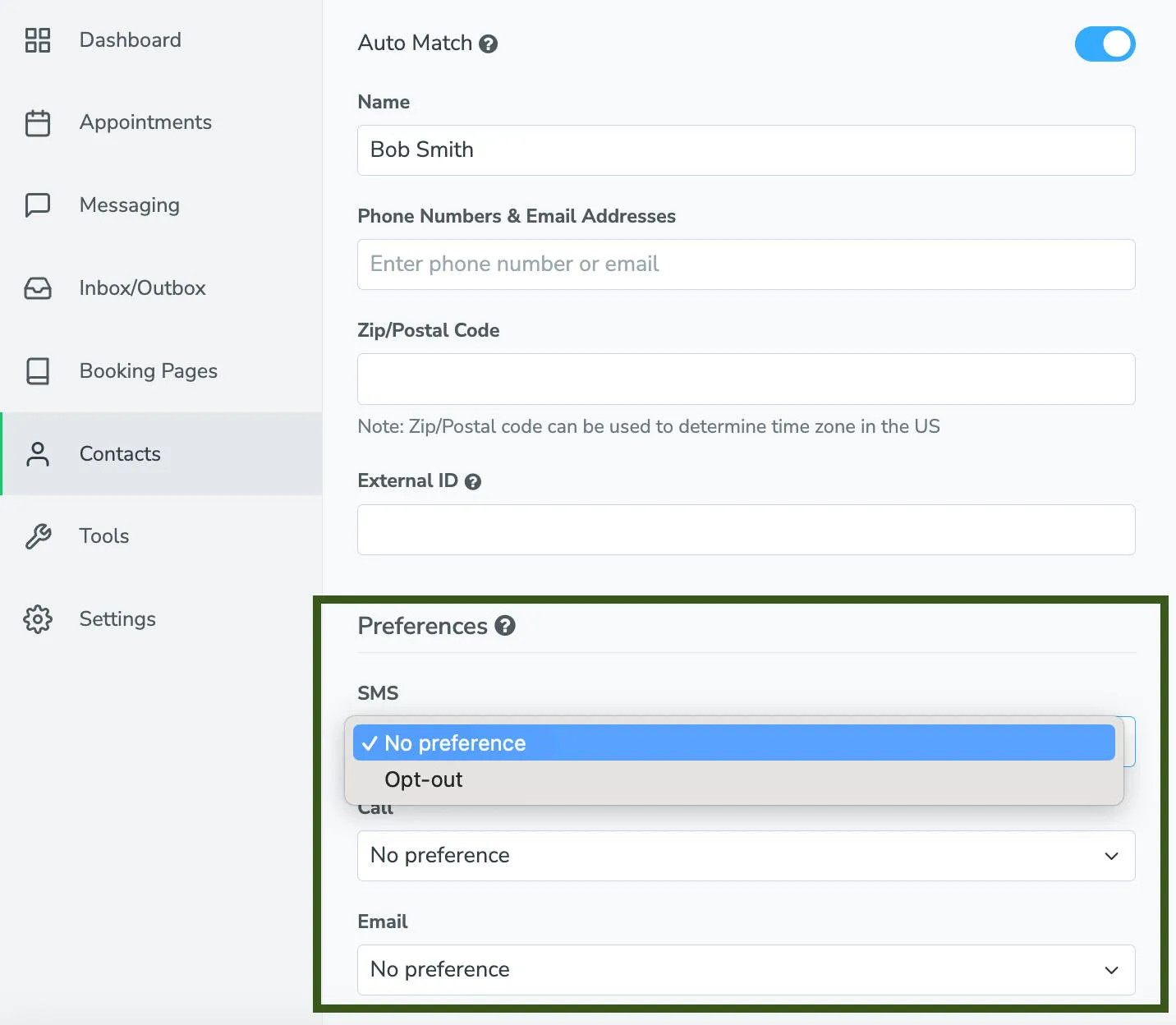
The 3 types of messages that contacts can opt in and out of are SMS, Call, and Email. The following options are available for each of those:
- Opt-in: This option only appears if Opt-in all by default” is unchecked on the Settings > Lists > Opt-ins tab (e.g., opt-in is not implied) for this type of message. In that case, choosing this option will allow Apptoto to send messages of this type to all of the phone numbers or email addresses listed.
- No Preference: Contact is not explicitly opted in or out of receiving messages.
- Opt-out: The contact will explicitly be opted out of receiving messages.
Contact preferences are only applied when Apptoto has matched an appointment to the contact.