
Advanced Settings
To offer further control and customization of your Auto Messages’ behavior, we’ve added an Advanced Settings section to each account’s Messaging > Appointment Auto Messages tab.
For Reminders
Section titled “For Reminders”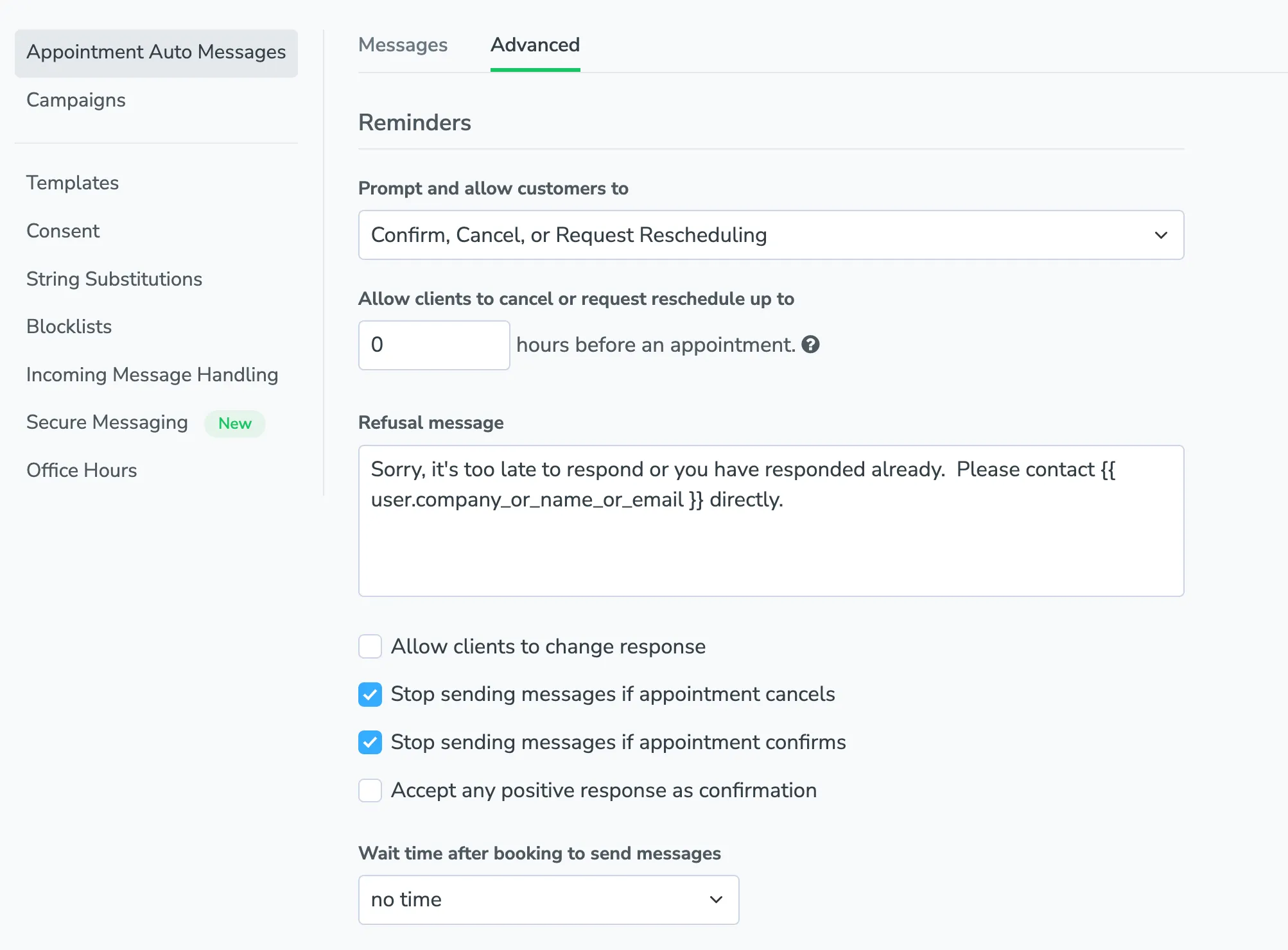
Prompt and allow customers to: Change the response prompts for {{ reminder.link }} and {{ reminder.prompt }} fields in Reminder messages. This feature is commonly used to remove the “Reschedule” or “Cancel” prompts, allowing clients to only respond with a confirmation.
Allow clients to cancel or request reschedule up to: Specify how many hours before an appointment clients can cancel or reschedule their appointment. Any messages sent after this cutoff time will exclude the Cancel and Reschedule responses for both auto messages and the Appointment Pages.
Refusal message: The reply Apptoto sends when a client tries to cancel, reschedule, or change their response after the cutoff window. This field is shown whenever a cancel/reschedule or change-response cutoff is set. The default reads: “Sorry, it’s too late to respond or you have responded already. Please contact {{ user.company_or_name_or_email }} directly.” Edit the textarea to customize. Liquid placeholders such as {{ event.title }}, {{ user.first_name }}, and {{ user.company_or_name_or_email }} are supported. If a “Response Refused” trigger is configured in Auto Replies, the trigger runs instead of this message and an inline notice will tell you so.
Allow clients to change response: Allow your customers to change their response from one state to another (confirmed, cancelled or rescheduled), up to a certain cutoff time. The same Refusal message above is used when a client tries to change their response after this cutoff.
Stop sending messages if appointment confirms/cancels: Apptoto will stop sending Reminder messages to an appointment after they have confirmed or canceled their appointment.
Accept any positive response as confirmation: Any response to the Reminder message will be deemed confirmation unless it’s CANCEL, RESCHEDULE, UNSUBSCRIBE, OPT-OUT, etc.
Wait _____ after booking to send messages: Allows for a buffer between booking an appointment and when Apptoto starts sending reminders for said appointment.
For Booking Messages
Section titled “For Booking Messages”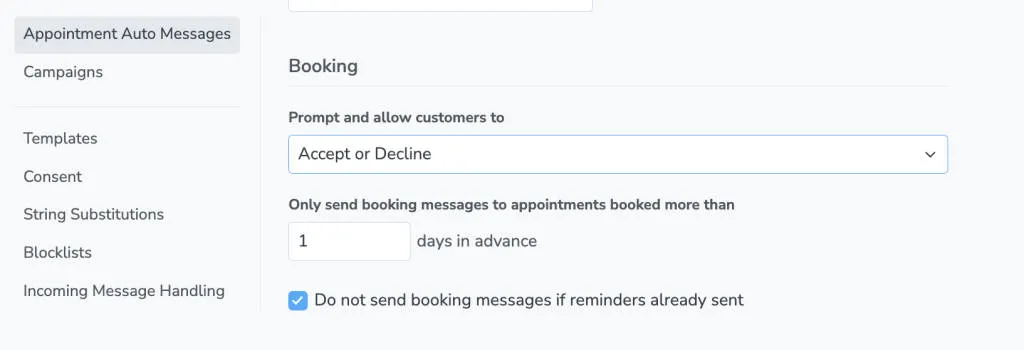
Prompt and allow customers to: Change the response prompts for {{ booking.link }} and {{ booking.prompt }} fields in your booking messages.
Only send booking messages to appointments booked more than: Specify the number of days in advance an appointment must be booked in order for a booking message to be sent.
Do not send booking messages if reminders already sent: Prevent booking messages from being sent for an appointment if a Reminder message has already been sent to said appointment.