
Creating Messages in Multiple Languages
Overview
Section titled “Overview”This guide explains how to set up messages in multiple languages within Apptoto to serve diverse clients. The process begins with creating a new Message Schedule. See Creating Message Schedules for the foundational steps.
Setting up conditions and locale
Section titled “Setting up conditions and locale”Once you’ve established a new Message Schedule, name it based on your target language (such as “Spanish” or “French”) and specify a triggering condition for when Apptoto deploys messages from this schedule.
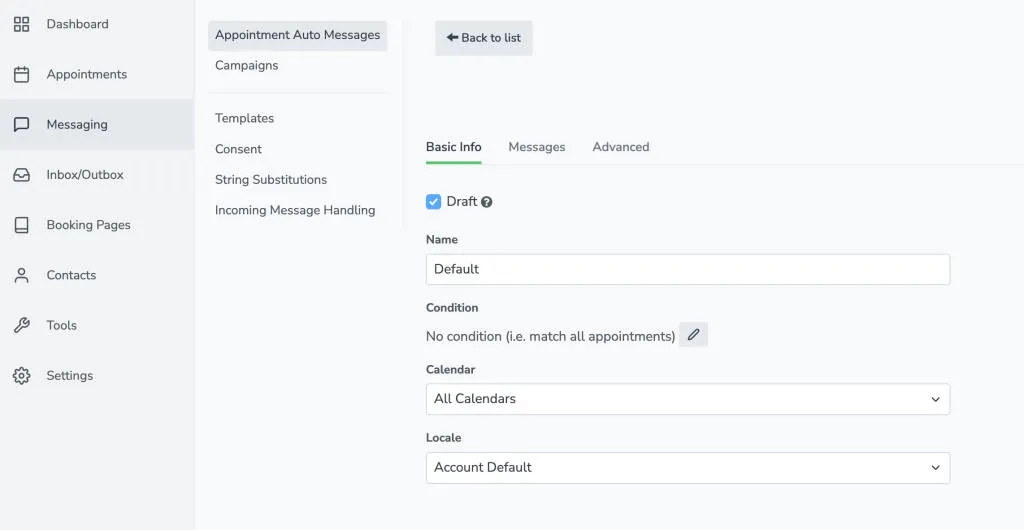
The key feature is the Locale setting, which automatically translates all of the variable/dynamic fields in your messages to your selected language. However, any custom text phrases must be manually written in the correct language.
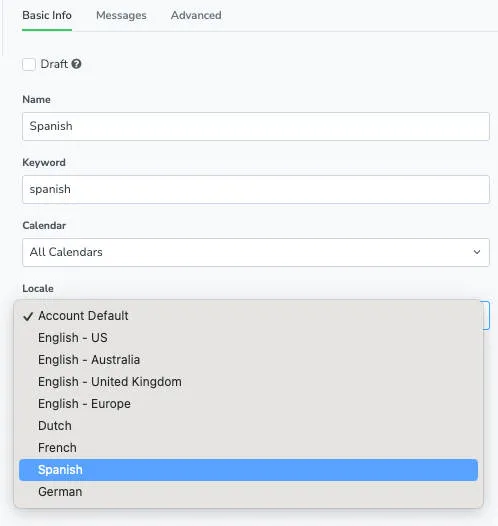
After configuring the locale, you can format conditions and messages using the same methods as other schedules. The system will handle translating standard variables while preserving your custom language choices.