Seasonal Availability
Use availability overrides to switch between seasonal and default schedules without having to maintain separate booking pages.
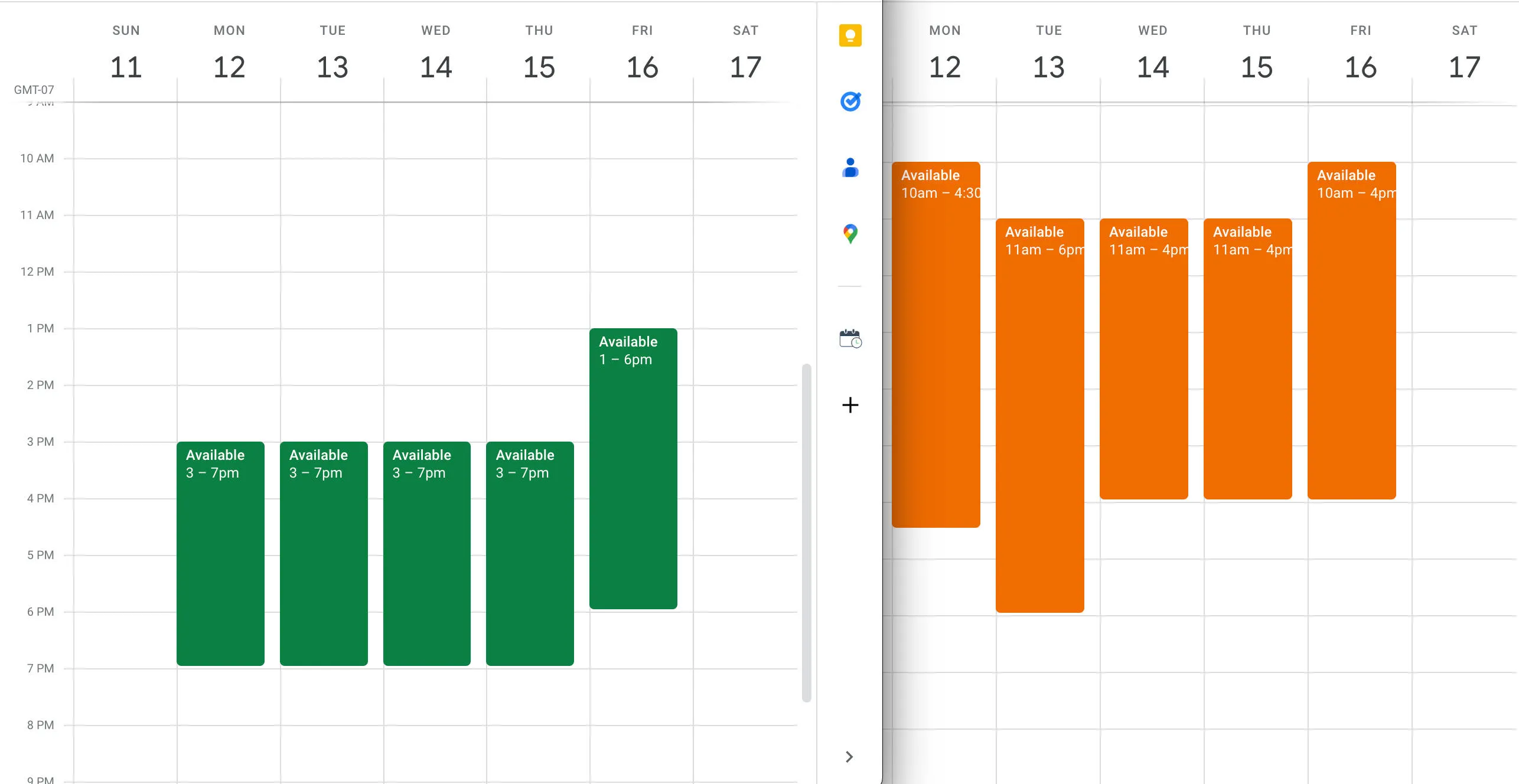
This setup is designed to work around the issue of having a period of time (upcoming 60 days, for example) where the availability will need to shift. In this example, the user has summer hours (orange) and a default schedule (green) for the rest of the year. In that case, a visual depiction of the weekly availability looks like this:
Adjusting your calendar for seasonal availability
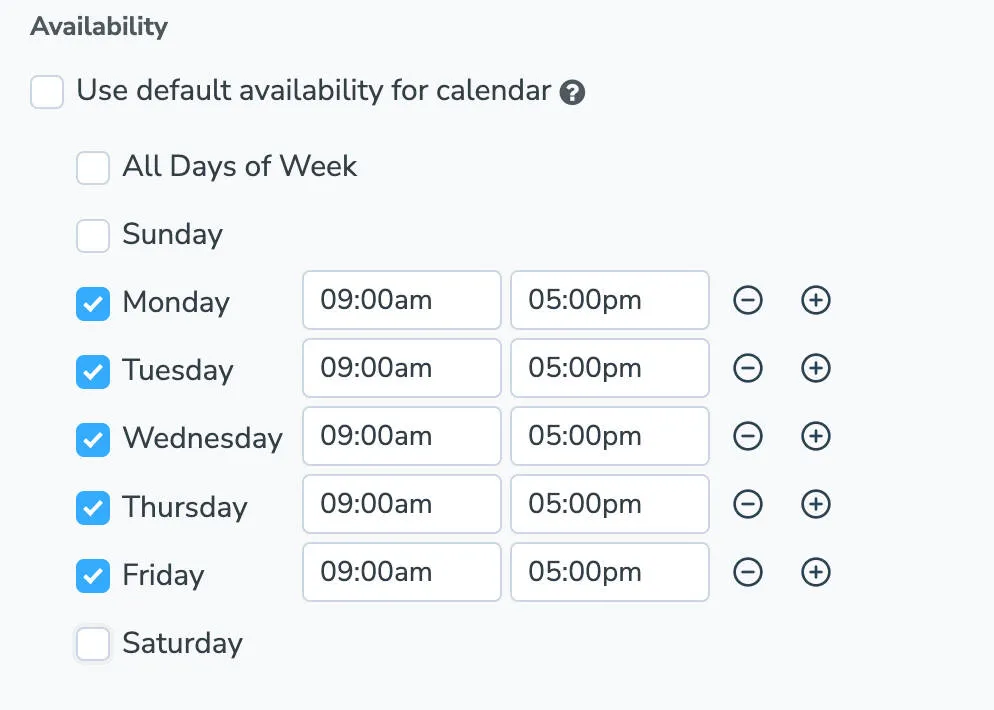
Section titled “Adjusting your calendar for seasonal availability”- To find your booking page’s default availability, navigate to Booking Page > Availability tab > Availability section.
- Scroll down to Availability Overrides.
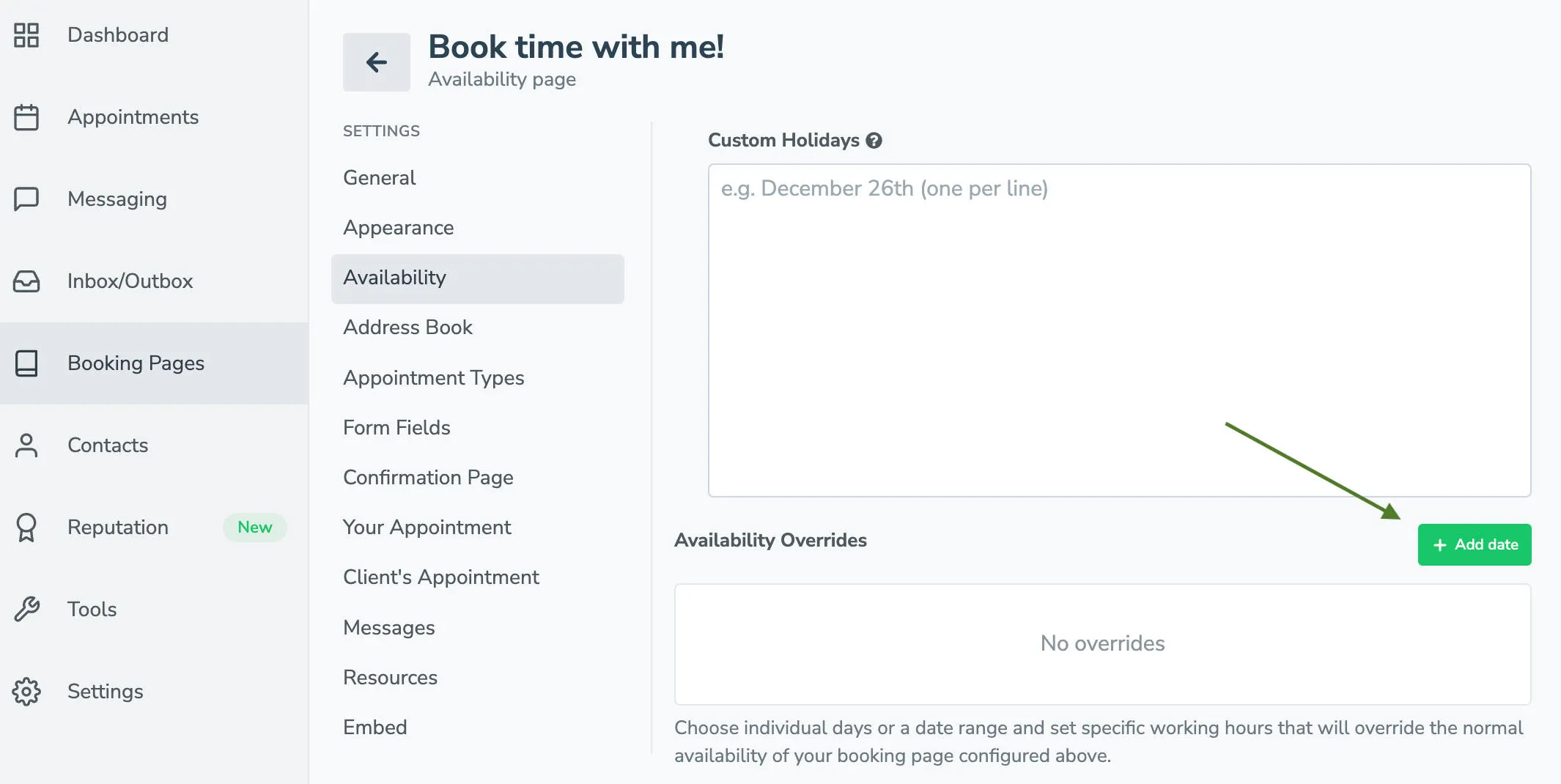
- Open the override setup wizard by clicking the +Add date button.
- Select date range and add the dates you want to adjust your seasonal hours for. The timing will default to unavailable at first.
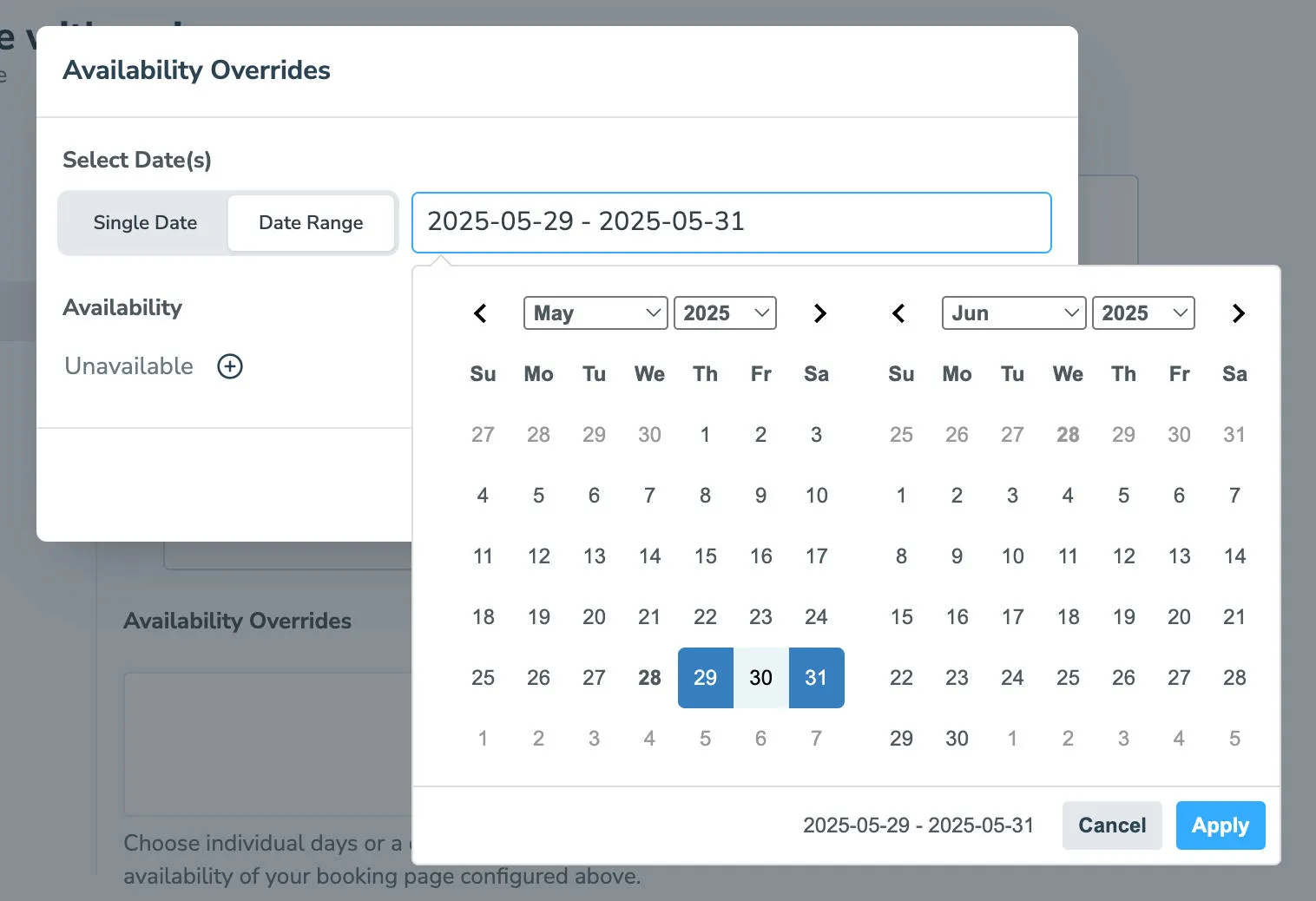
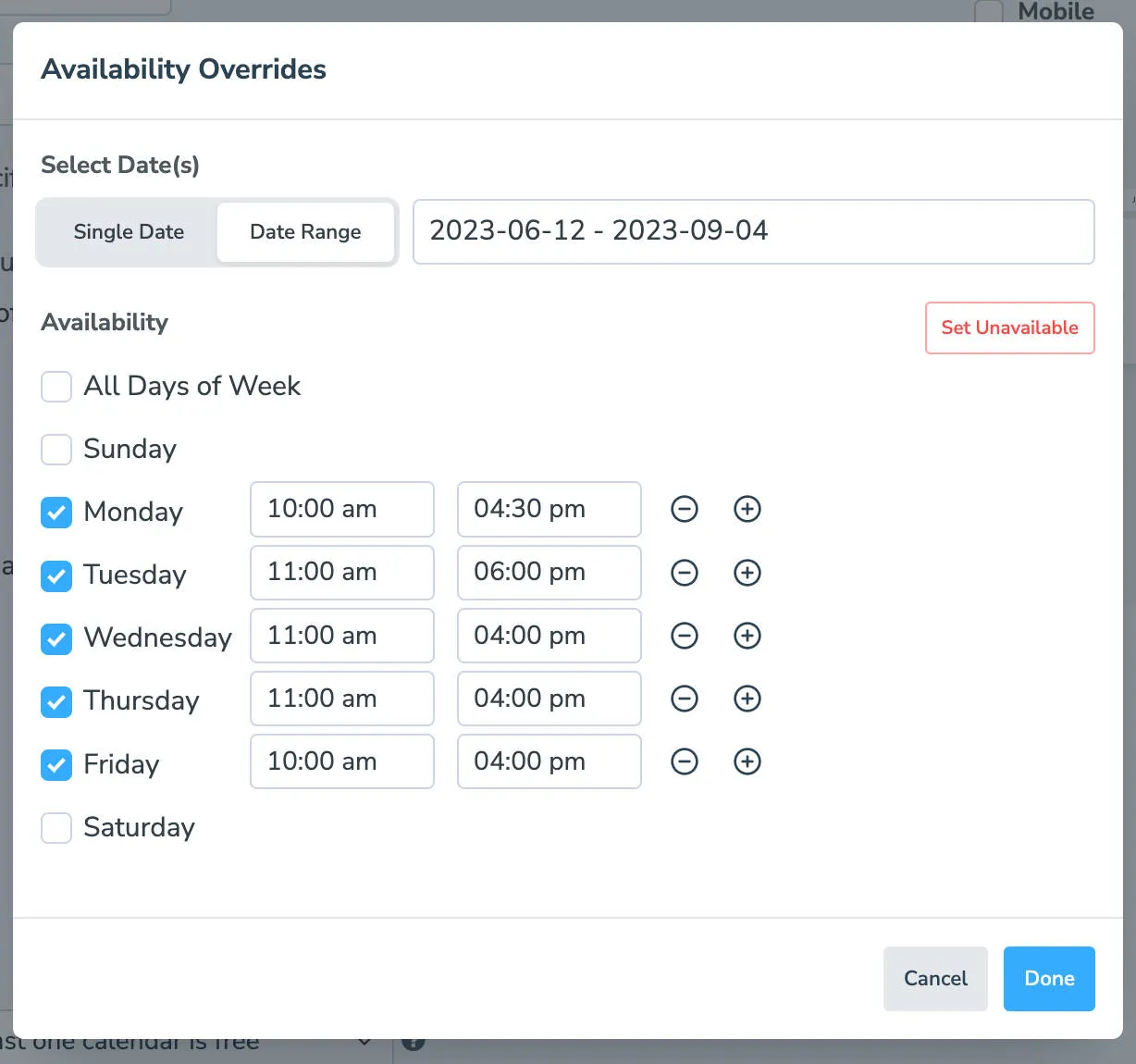
- Click + to the right of Unavailable. It will expand to show availability options for all days as a group or individually by day of the week. Set your season hours based on the days and hours you will be open. Click Done when finished.
- Review your seasonal override dates and hours
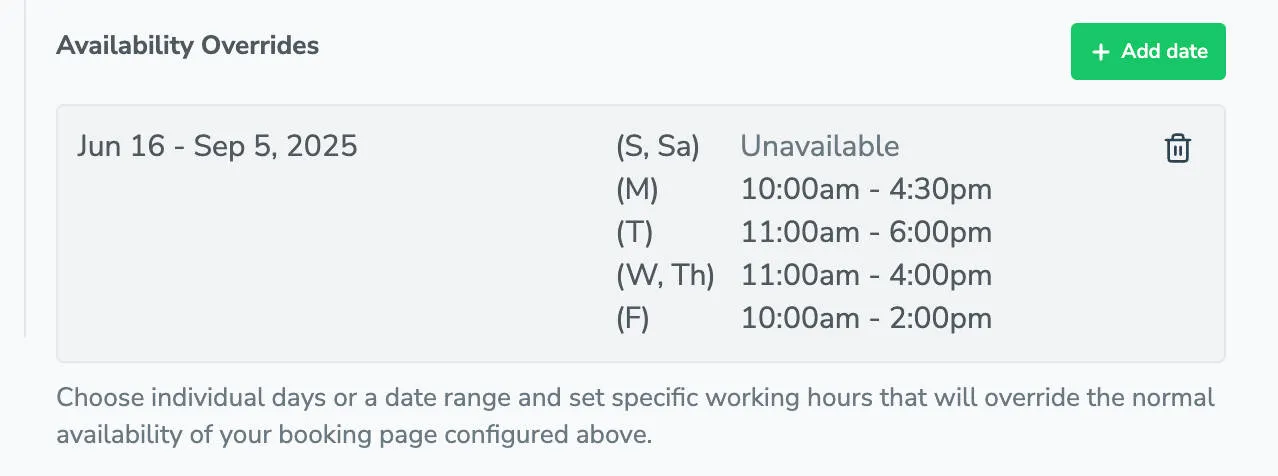
Your default availability hours will remain the same until the first date of your seasonal availability override. On that date, your schedule will reflect your new seasonal availability.