
Payments on the Contacts Tab
You may occasionally need to collect one-off payments from clients that do not have an upcoming appointment. You can do this through the Contacts tab in Apptoto.
-
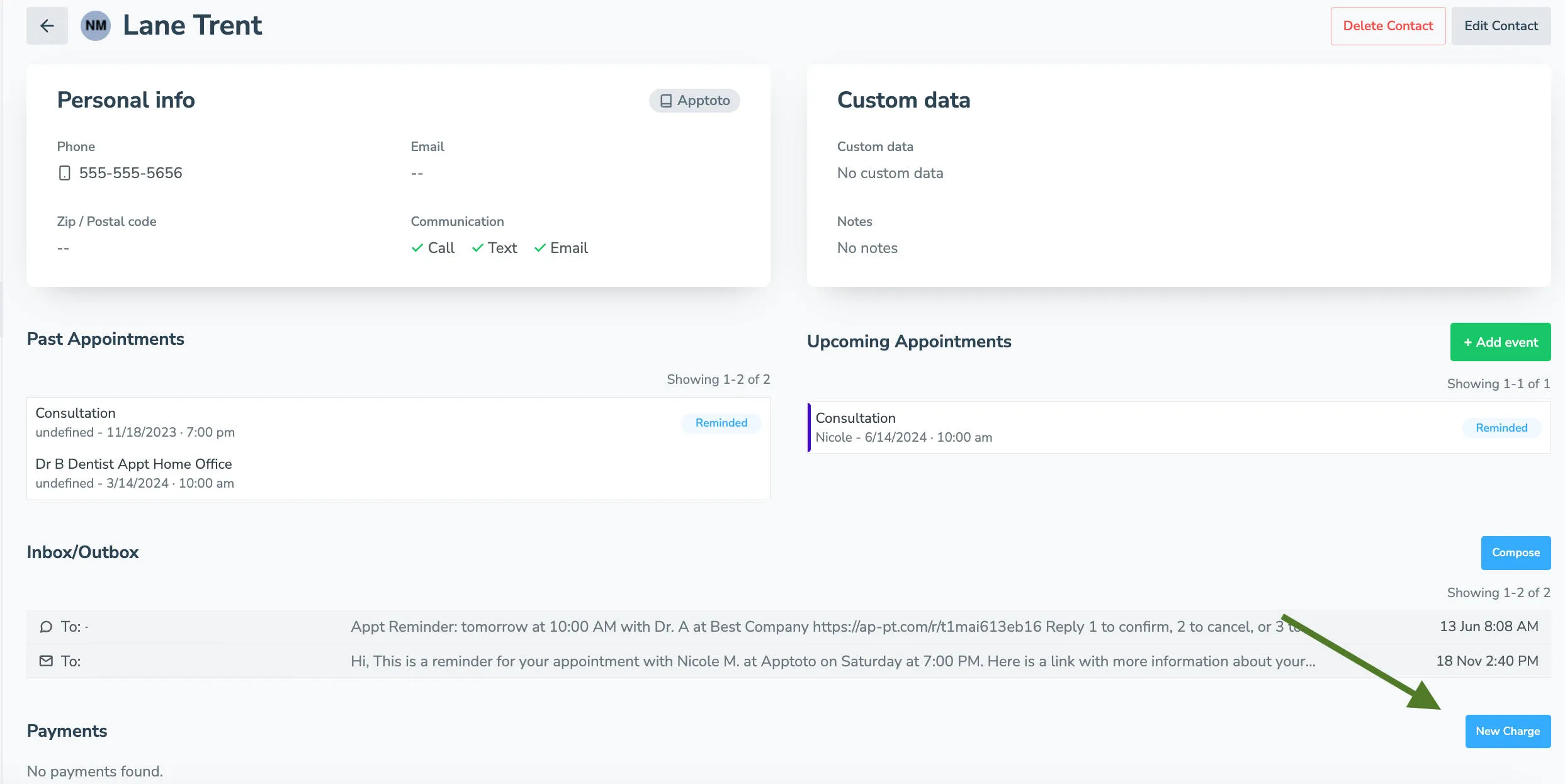
Open the contact record: Go to Settings>Contacts and click on the contact you want to charge.
-
View payment history: All payments associated with the contact appear in their record, including payments from authenticated booking pages.
-
Initiate a one-time charge: If the contact has a saved payment method, click New Charge.
-
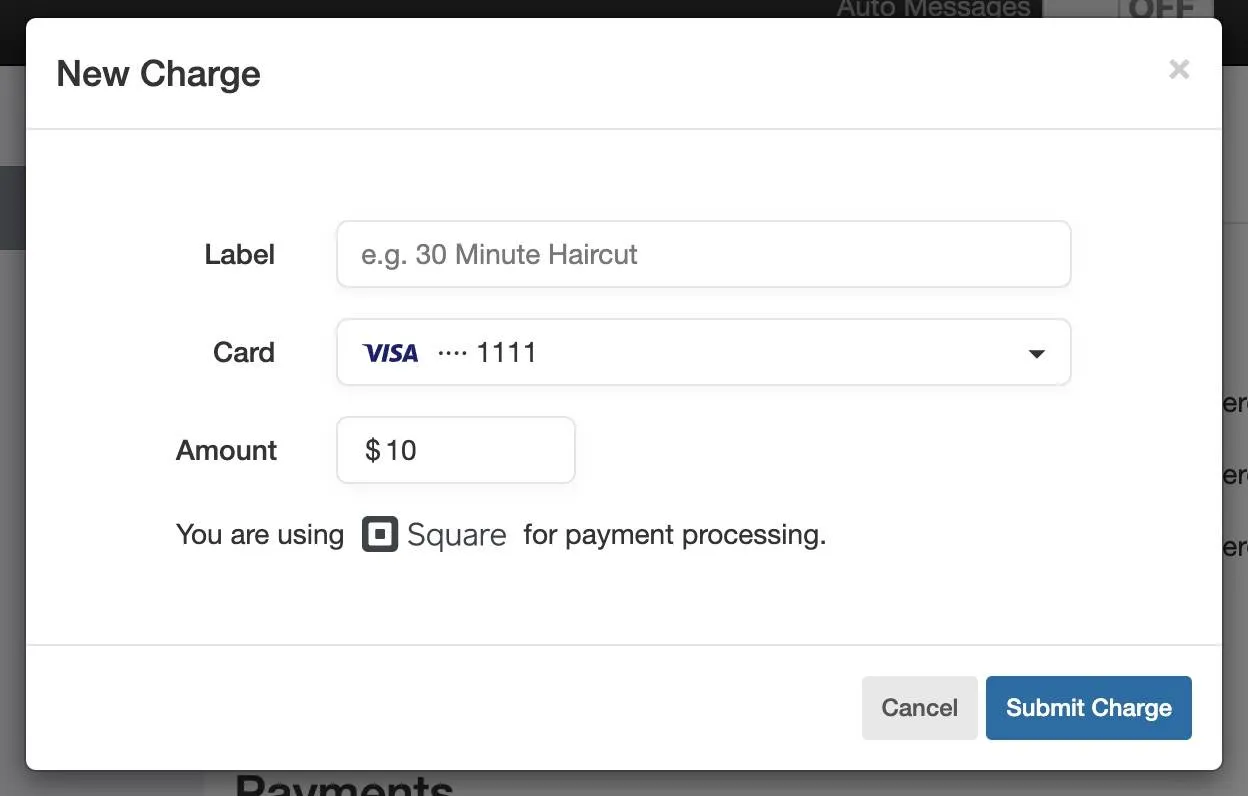
Enter payment details: Enter a Charge Label (this appears on the payment receipt sent by your processor) and the amount, then click Submit. The charge processes immediately.
-
Optional - Issue a refund: You can also find a charge in a contact’s payment history and select the refund option.