
Automatic Extraction
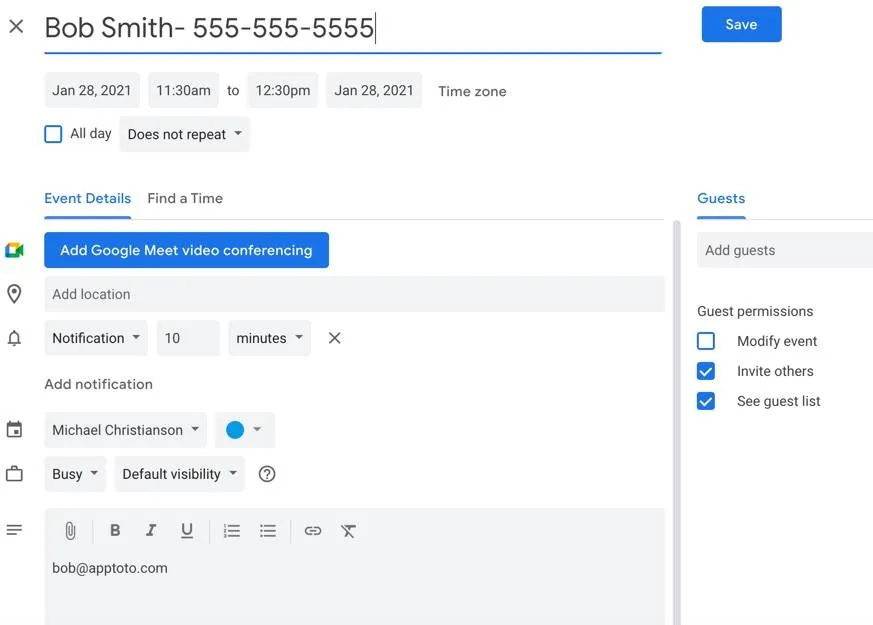
Apptoto can extract phone numbers, email addresses, and contact names from appointments. For example, if an appointment in your Google Calendar includes client details, Apptoto will extract the name, phone number, and email address and display them in the Agenda view.

Extraction sources
Section titled “Extraction sources”Apptoto extracts data from the following event fields:
- Title field
- Location field
- Body
- Guest list (or attendee list)
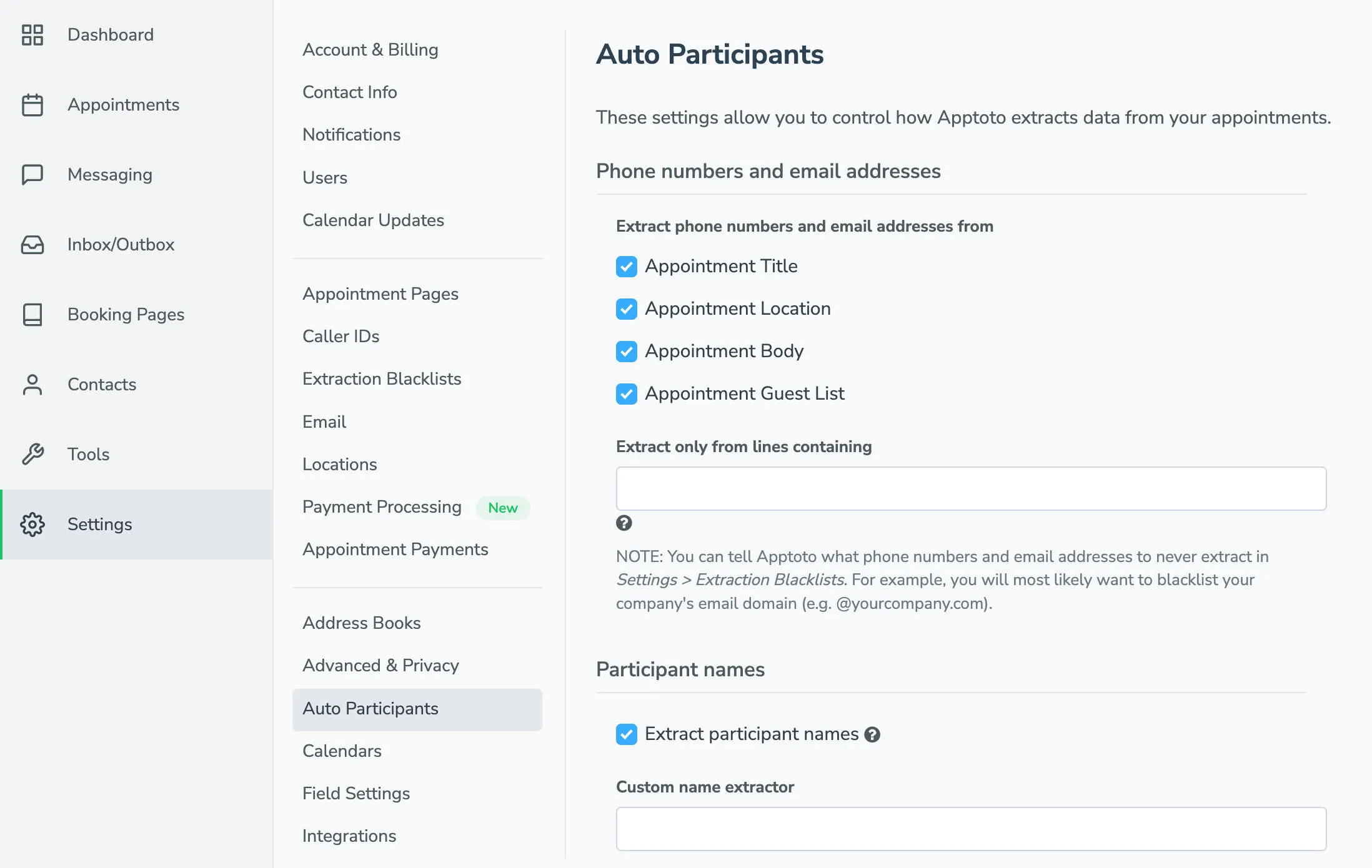
You can enable or disable automatic extraction within Settings > Auto Participants by checking/unchecking specific fields.
Phone number formatting
Section titled “Phone number formatting”The formatting expectations depend on the Country setting in Settings > Account.
In the US, Apptoto recognizes all common formats as long as the full 10 digits are included:
650-555-1212(650) 555-1212650.555.12126505551212+16505551212
For accounts without area codes, contact support@apptoto.com to configure a default area code.
For international clients, include the full phone number with country code prepended with a +:
+4420555512121+614125551212
When the Country setting is something other than the US, Apptoto recognizes common formats based on phone number formatting standards for that country.
Email formatting
Section titled “Email formatting”Email addresses must be fully formatted in the USER@DOMAIN format:
fred@gmail.comarthur@somebusiness.com.au
Name extraction
Section titled “Name extraction”Apptoto’s name extraction first searches the line containing the phone number or email address for two properly capitalized words that are likely names. If not found there, it checks the title.
Formats that work:
Fred SmithSmith, Fred
Formats that do NOT work:
FRED SMITHFRED S.SMITH, FREDfred smithFRED
Multiple participants
Section titled “Multiple participants”When multiple participants are involved, you can list multiple phone numbers and/or email addresses. Apptoto groups them together by person.
Best practice: place each person’s phone number and email address together in the appointment:
Fred Smith - 650-555-1212 - fred@gmail.comWilma Jones - 650-906-1212 - wilma@gmail.comAvoid this format:
650-555-1212, 650-906-1212fred@gmail.com, wilma@gmail.comBlacklisting phone numbers and email addresses
Section titled “Blacklisting phone numbers and email addresses”If Apptoto repeatedly extracts the same email address or phone number from appointments, you can blacklist those contacts.