
Reputation Management
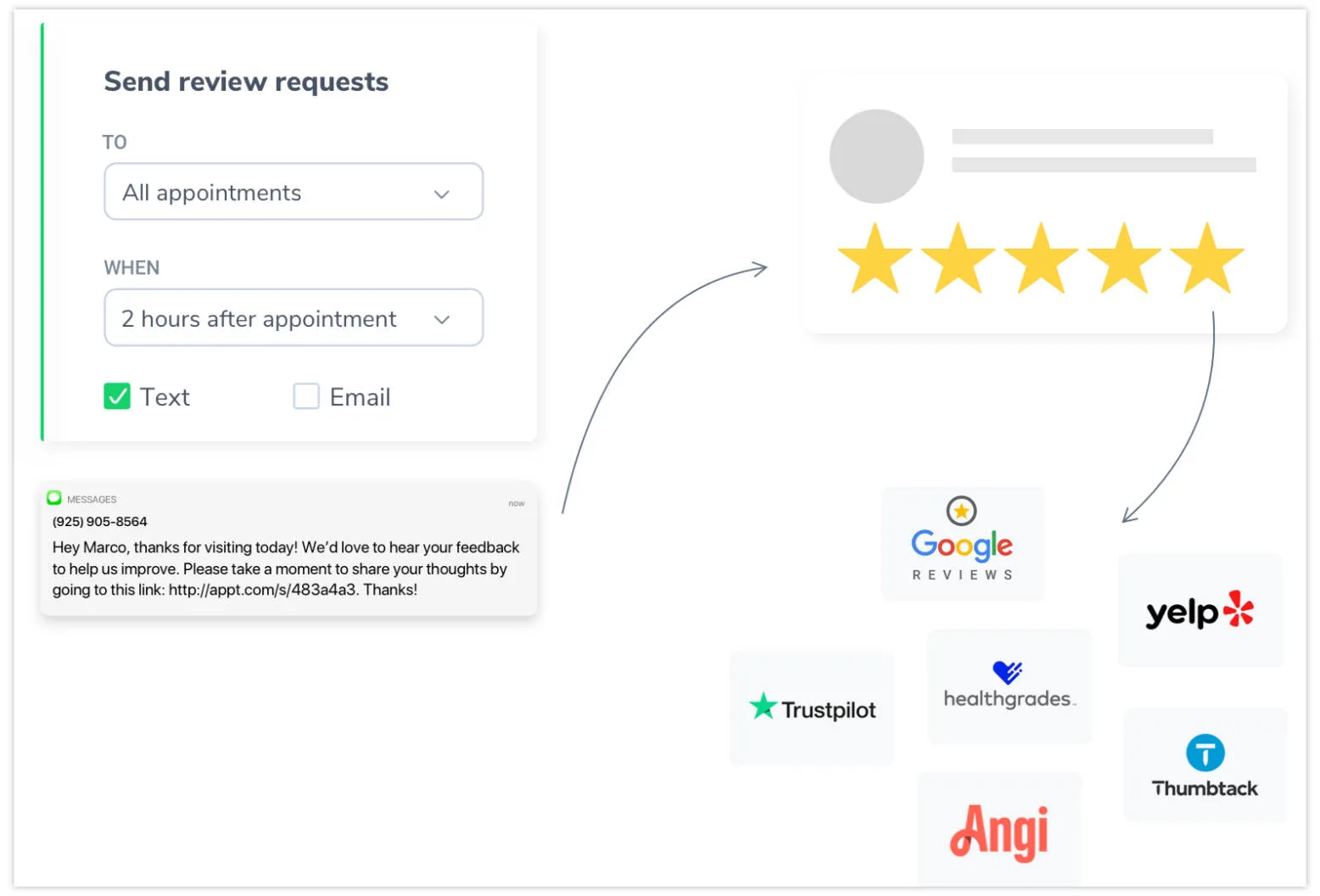
Apptoto’s Reputation Management tool helps you grow your online presence by collecting feedback from clients after their appointments. It automates the process of asking clients to rate their experience and, for those who had a positive visit, makes it easy for them to share that feedback publicly on the review sites that matter most to your business.
Reviews help potential customers gauge the quality of a company’s services, build trust, and reduce uncertainty, all of which often influence their decision to book an appointment.
Positive reviews improve a business’s reputation and boost its visibility on review site search results, as platforms prioritize highly-rated businesses. By proactively gathering reviews, companies can build social proof, attract new clients, and stand out in competitive markets.
How it works
Section titled “How it works”After a client’s appointment ends, Apptoto sends them an automated text or email asking them to rate their experience on a scale of 1 to 5 stars.
The client clicks a link that takes them to an Apptoto review page showing their recent appointment details. They select a star rating and optionally leave a written comment.
- Their rating and comment are sent to your Apptoto Inbox so you can review the feedback privately.
- All clients — regardless of their rating — are thanked for their feedback and offered a link to post their review publicly on a review site of your choice.
What you can do
Section titled “What you can do”| Feature | Description |
|---|---|
| Automated requests | Automatically send review requests after appointments end, with customizable timing and messaging |
| Review site integrations | Connect Google Business Profile, Facebook, and Yelp directly; add custom links to any other review site |
| Nudges | Automatically follow up with clients who left internal feedback but haven’t posted publicly yet |
| Dashboard | Track total requests sent, reviews received, and average scores across your connected review sites |
| Manual requests | Send individual review requests directly from a client’s appointment in the Inbox/Outbox |
| Response tools | Reply to client feedback directly from the Inbox/Outbox tab |
To start using Reputation Management, navigate to the new Reputation tab in Apptoto’s left-side navigation menu. Then, follow the steps outlined in our Automated Review Requests help article.