
Two-Way Messaging
Two-way messaging lets you have a back-and-forth conversation with clients who reply to your auto messages or one-time messages. It works for SMS and email — not voice calls.
Use Apptoto’s portal to reply to messages from your clients, or use your own email inbox instead.
The inbox/outbox
Section titled “The inbox/outbox”The Inbox/Outbox tab is Apptoto’s built-in conversation manager. Use it to read incoming replies and respond without leaving the platform.
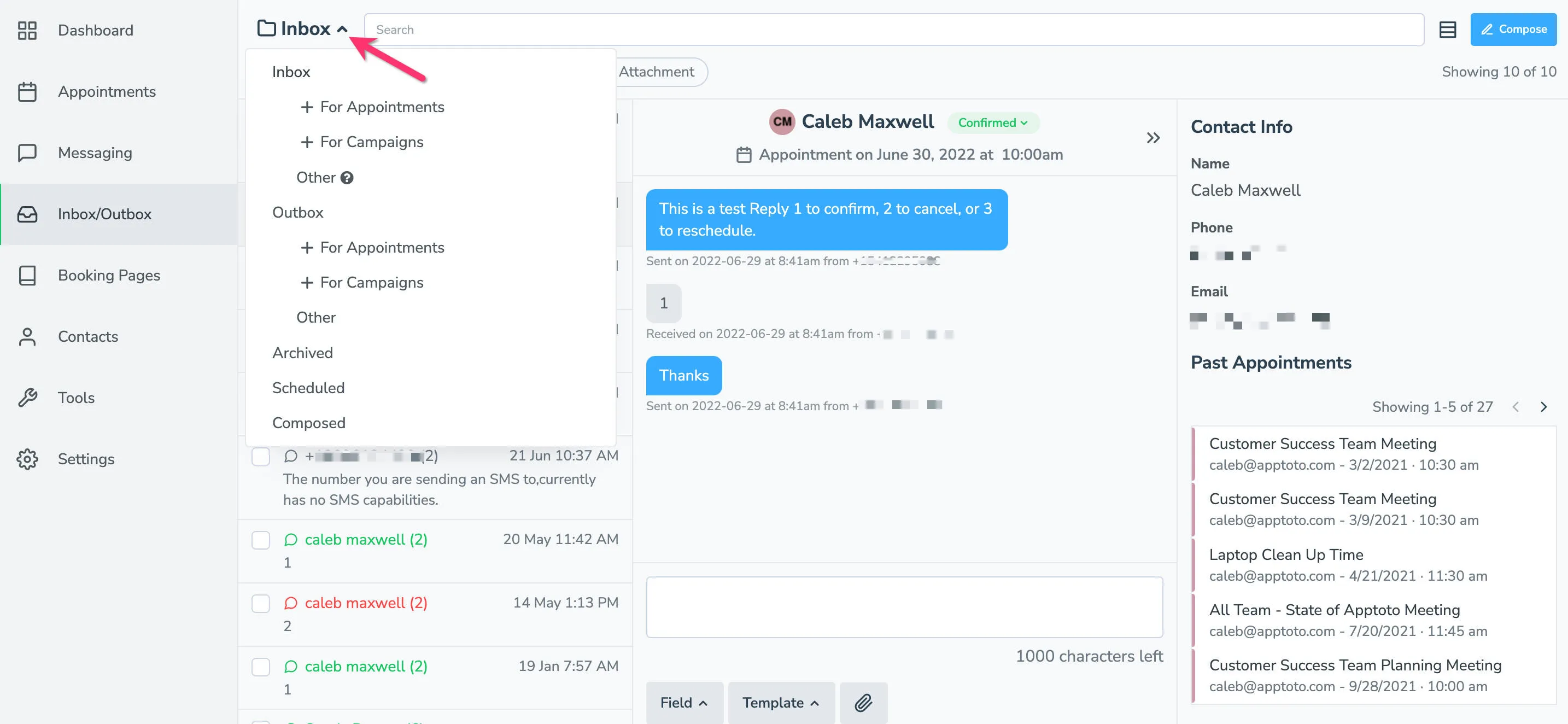
Folders
Section titled “Folders”| Folder | Contents |
|---|---|
| Inbox | Recent incoming messages you have not archived |
| Outbox | Outgoing messages sent automatically or manually |
| Archived | Conversations you’ve archived |
| Scheduled | Upcoming messages queued to send |
| Assigned to me | Conversations currently assigned to you |
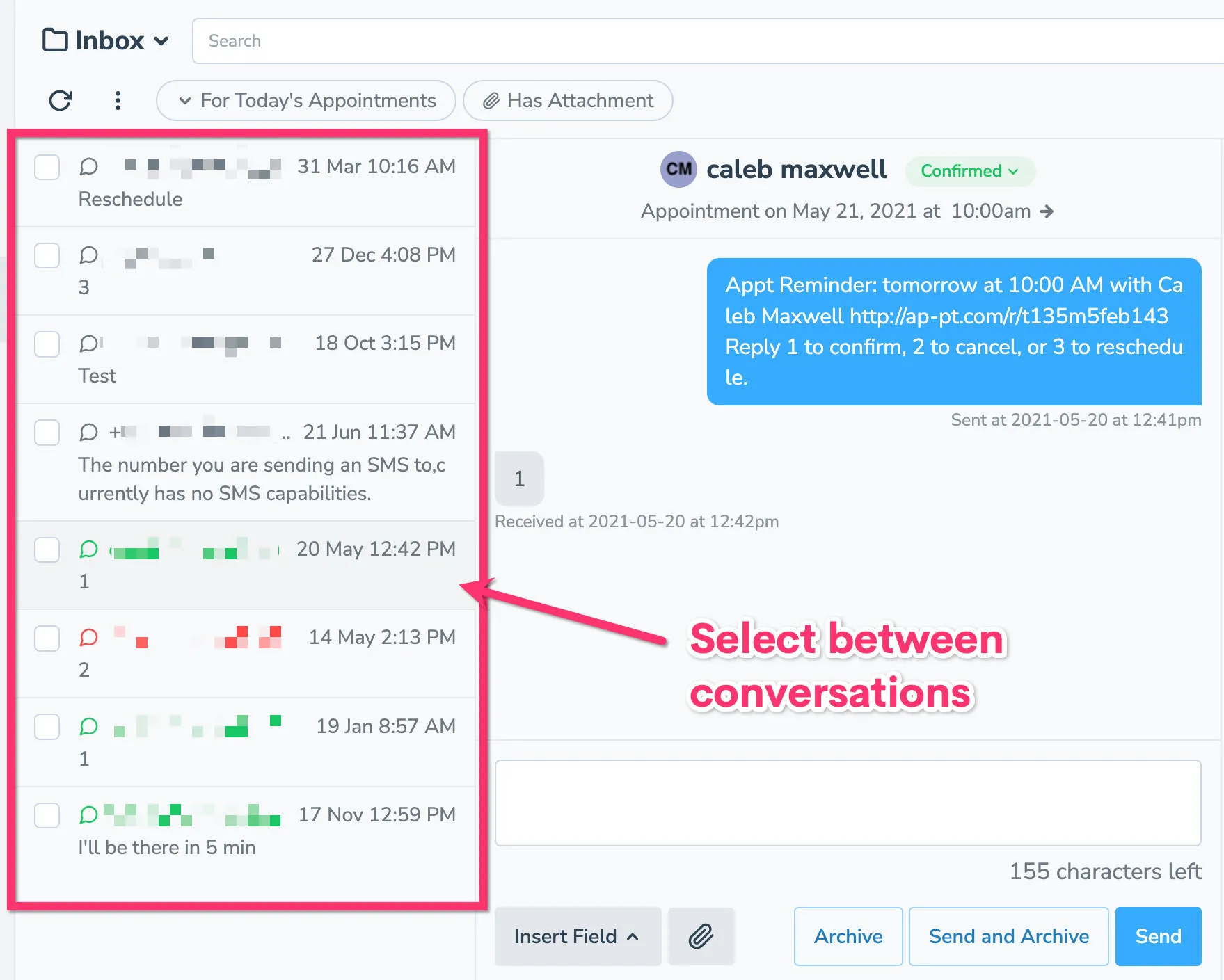
Click any conversation to view the full thread and reply.
Assigning a conversation
Section titled “Assigning a conversation”Use the assignment button below the reply box to give a conversation an owner: a person on your account, who then gets its reply notifications, or the AI Receptionist, which answers it for you. See Assigning Conversations.
When a text starts a new conversation
Section titled “When a text starts a new conversation”Text conversations are grouped by phone number, so a reply is matched to the most recent thread with that client. If a client texts you more than 30 days after the last message on a thread, the text starts a new conversation instead of reopening the old one. A text a month after an appointment reminder is a new question, not an answer to the reminder.
Email works differently: an email reply always stays in the thread it answers, however long the client takes to write back.
Replying from your Email Inbox
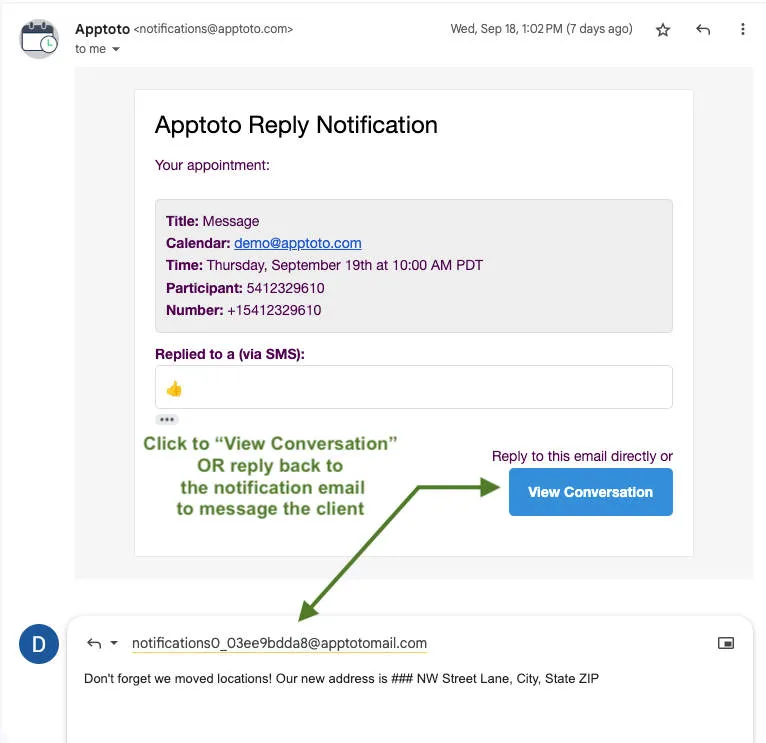
Section titled “Replying from your Email Inbox”If you have the Participant replies notification enabled under Settings > Notifications tab, incoming replies trigger an email notification to you.
You can respond to a client in two ways from that notification email:
- Click View Conversation to open the thread in Apptoto and reply there.
- Reply directly to the notification email. Apptoto will forward your response back to the client.
Keep SMS replies short. SMS messages are limited in length and long responses may be truncated.